Skip to content
Agentic Control Plane
FOR TEAMS

One control plane for every agent your team ships

Five engineers, eleven agents, four frameworks — and every one of them controlled by whatever checks its author remembered to write. ACP replaces the per-agent babysitting with one layer: every call identified, checked against policy, metered, and visible in one panel.

The problem changes shape when it's a team

One engineer with one agent can watch it. A team can't — and the failure modes multiply with headcount:

N engineers, N access-control engines

Every developer hand-rolls their own checks, in their own framework, to their own standard. The team's real safety floor is whichever agent has the weakest one.

Nobody can answer “what did our agents do today?”

Logs are scattered per repo, per framework, per teammate's laptop. When something goes wrong — a refund fan-out, a deleted row, a customer-data leak — reconstructing it means archaeology.

The bill is per-nobody

Model spend arrives as one number with no attribution. Which agent? Whose experiment? Which loop went runaway on Tuesday? Nobody knows, so nobody fixes it.

What your team gets with ACP

One panel, every agent
Every agent, every framework, every teammate — one live view of calls, decisions, cost, and latency. LangGraph next to CrewAI next to Claude Code, same rows.
Policy per agent, set once
Allow, ask, redact, or deny — per operation, scoped by agent, agent type, role, or user. Deny-by-default for the destructive stuff. The floor stops depending on who wrote the agent.
Identity on every call
Which agent, acting for which person, allowed by which rule. The answer to “prove what every agent did and why it was allowed” — per call, exportable.
Cost, attributed and X-rayed
Spend rolled up across the org, then broken down per agent, per run, per step — loop vs. leaf — so the expensive step has a name and an owner.
Roles for the team
Admins set policy; developers ship agents; viewers watch. Unlimited seats on every plan — you're never paying per teammate to see your own agents.
Run-to-run variability
Same agent, same task — different cost, path, and outcome. ACP shows the distribution per agent (p50/p95, divergent runs), so you find the flaky one before your customers do.

See it — this is the actual console

Not mockups. These are real views from a live workspace — click any to expand.
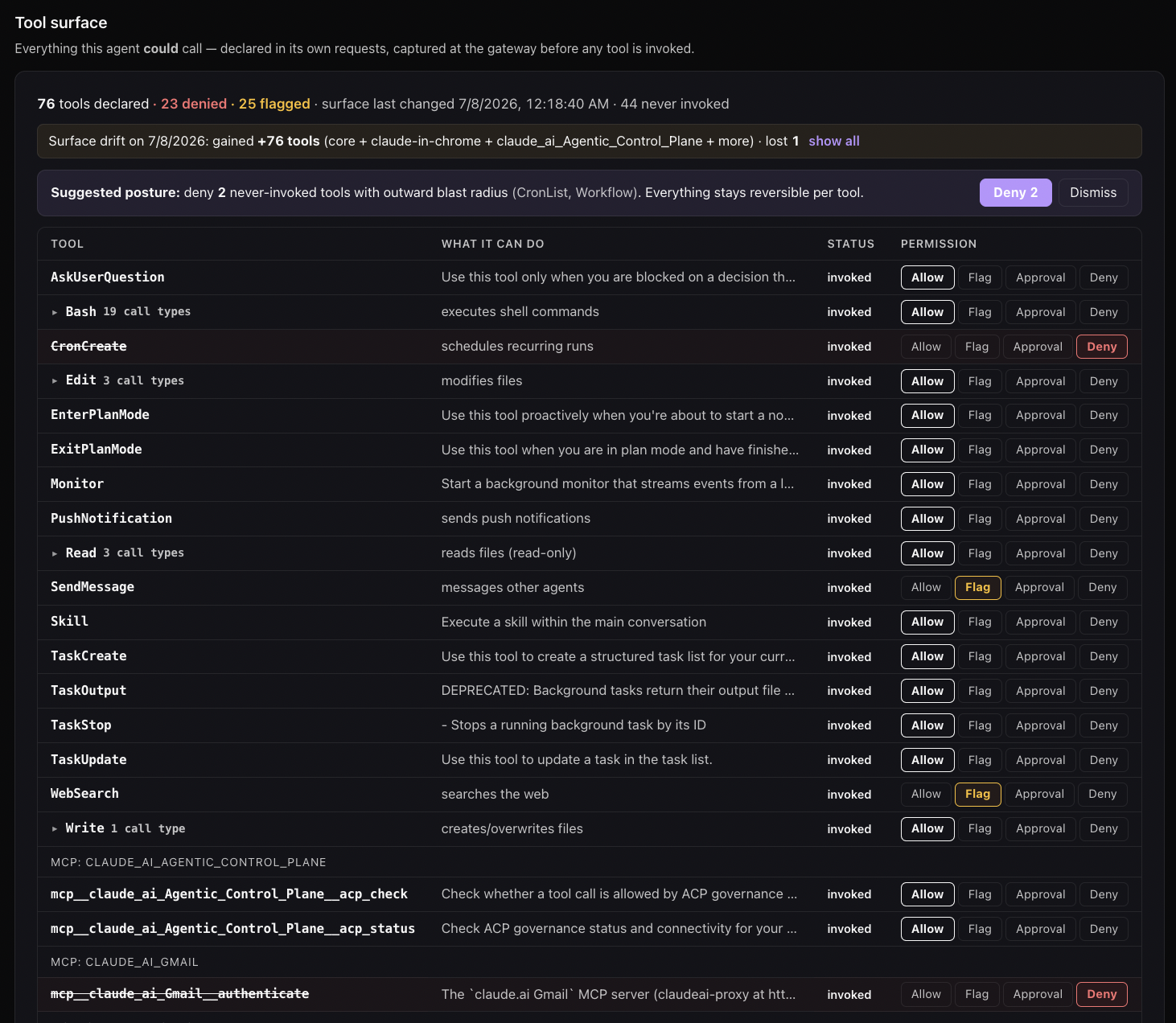
ACP tool-surface control table: 76 tools an agent can call, each with Allow / Flag / Approval / Deny, a suggested posture, and 23 already denied
Policy per agent, per operation. Every tool an agent can call, one row each — Allow / Flag / Approval / Deny, scoped by agent, agent type, role, or user. Deny-by-default on the destructive ones, with a one-click suggested posture. The floor stops depending on who wrote the agent.
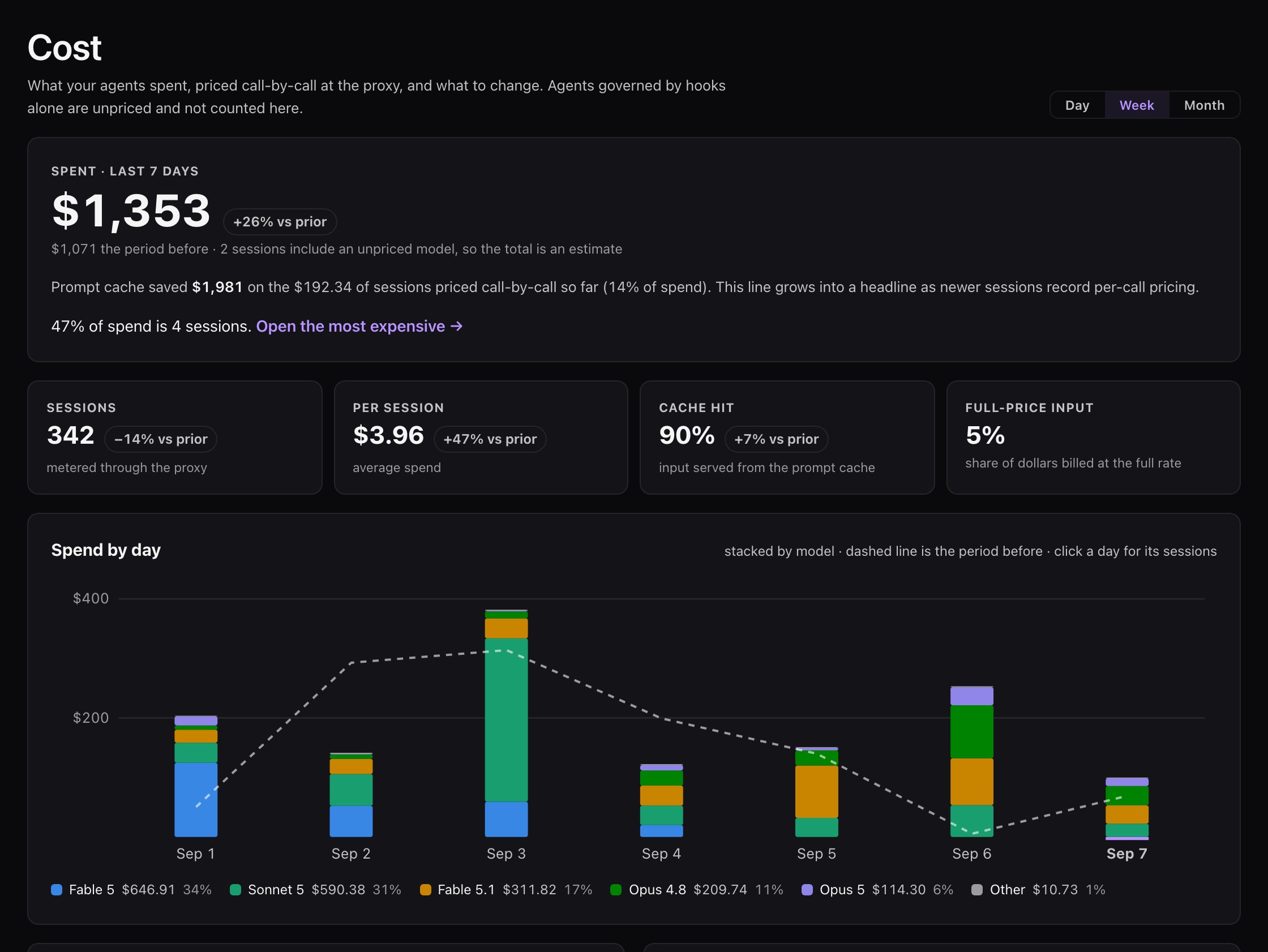
ACP cost-per-run distribution for one agent across many runs on a log scale, showing the median and the long expensive tail
Cost, attributed and X-rayed. Spend rolled up across the org, then broken down per agent, per run, per step — loop vs. leaf — and plotted across runs so the expensive step and the runaway run both have a name and an owner.
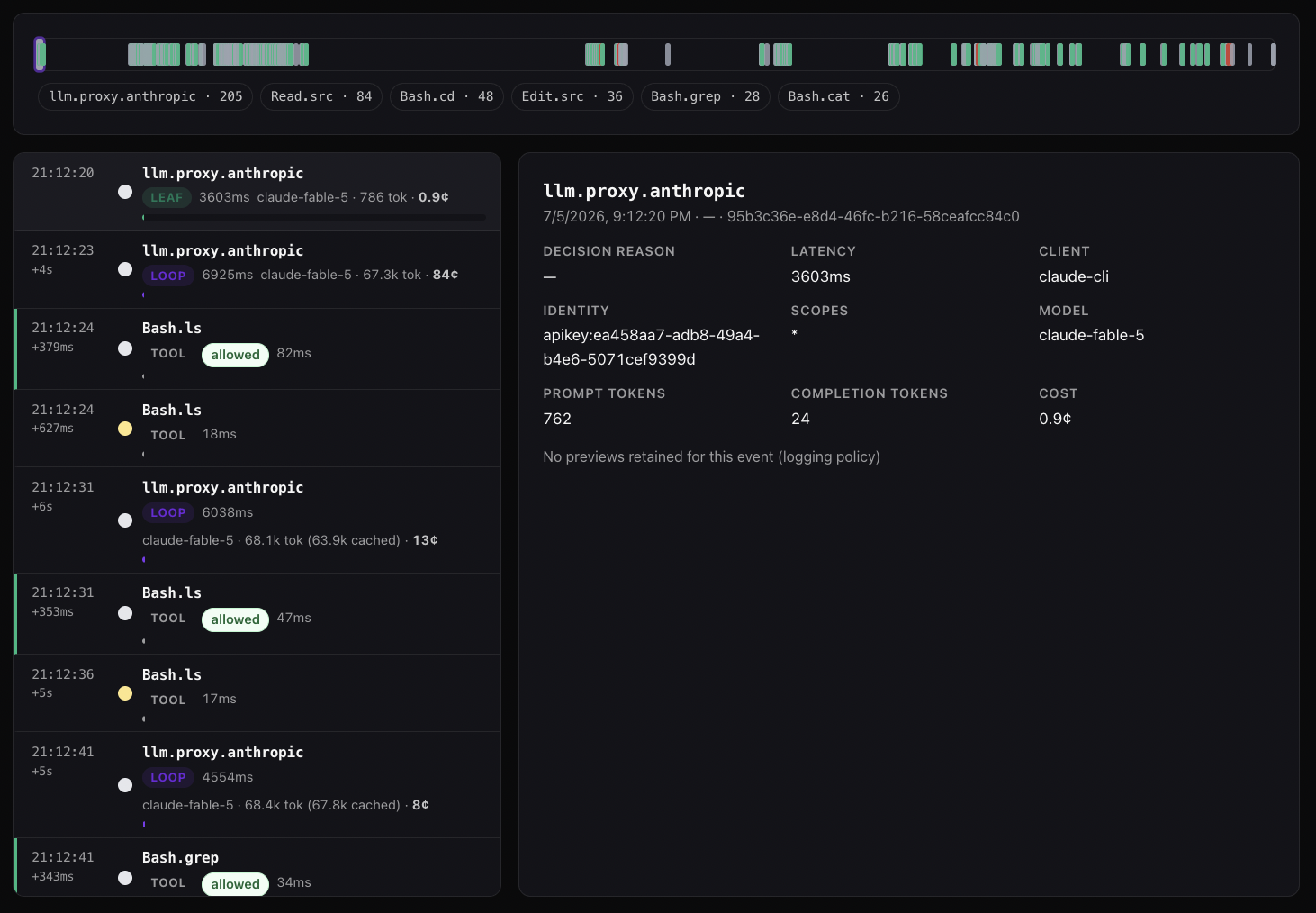
ACP session trace: a per-call timeline of one agent run — each model and tool call with its identity, policy decision, latency, and priced cost
Identity and audit on every call. Which agent, acting for which identity, allowed by which rule, at what cost — every call in a run, in order, exportable. The answer to "prove what our agents did and why it was allowed."
agents · acme-eng · all teammates ● live
agentownerframeworkcalls·7dcost·7ddenied
pr-revieweraliceclaude-code9,902$41.203
support-triageboblanggraph2,218$18.7511
refund-agentbobcrewai413$3.022 asked
research-scoutdanavercel-ai1,067$6.440
Four agents, three owners, four frameworks — one panel. Click any agent for its runs, cost X-ray, and policy.

How teams adopt it

step 1 — one engineer, one agent

A one-line install or a package in your framework code, then one test call through the plane. Thirty seconds to the first audit row.

$ curl -sf agenticcontrolplane.com/install.sh | bash
✓ pr-reviewer connected · first audit row in 28s
step 2 — the team joins

Invite teammates (unlimited seats, free) and their agents land in the same workspace. Everything starts in audit mode — watch first, enforce when ready.

alice admin · sets policy
bob member · ships agents
dana member · ships agents
+ invite by email · auto-join by domain
step 3 — policy where it matters

Money tools, destructive ops, customer data — then enforcement on. Team ($15/seat/mo) adds shared policies, approvals, roles, org-wide cost rollup, and 1-year retention — unlimited calls and agents per seat.

refund.create ASK over $50
db.drop · rm -rf DENY
crm.query REDACT pii
everything else ALLOW + log

Putting a vendor in your call path is a trust decision

So we answer the hard questions in writing: what we see and store (metadata by default, payload capture opt-in and redacted), what happens if we disappear (the enforcement layer is MIT-licensed and self-hostable), and what our security posture is — including what we don't have yet.

Read the trust page →

Get your team's agents on one panel this week

Start free as an individual — unlimited calls and agents, forever. Or book 30 minutes and I’ll wire the first agent in with you.