Govern OpenClaw with Agentic Control Plane
See, control, and price every tool call OpenClaw makes — the shell commands, the file edits, the model calls — from one dashboard. One command, no code changes, first governed call in about 30 seconds.
TL;DR
curl -sf https://agenticcontrolplane.com/install.sh | bashirm https://agenticcontrolplane.com/install.ps1 | iexThree things you get the moment it's running — click any to see it full-size:
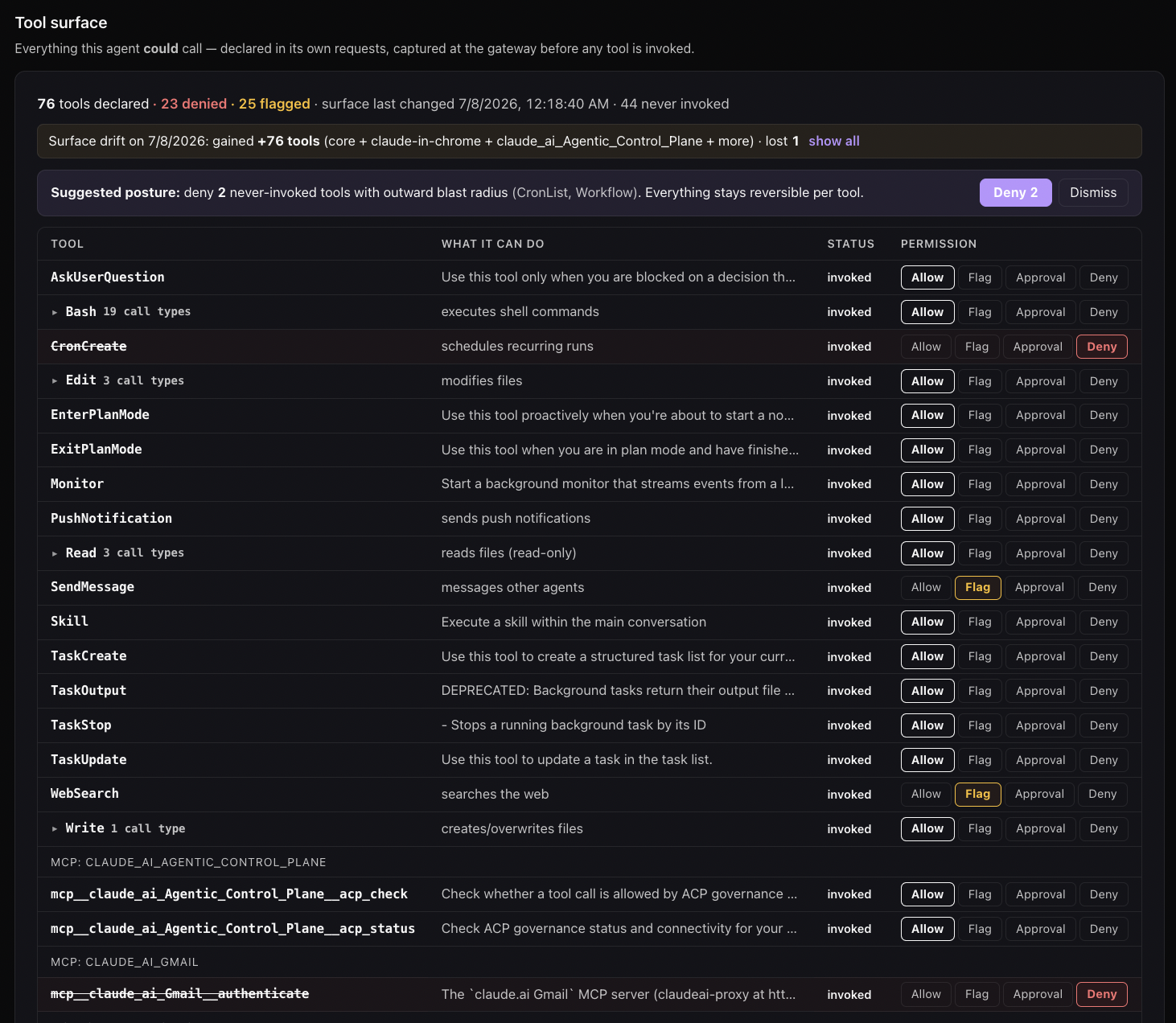
rm -rf, force-push, and the rest. Enforced at the call, outside the model.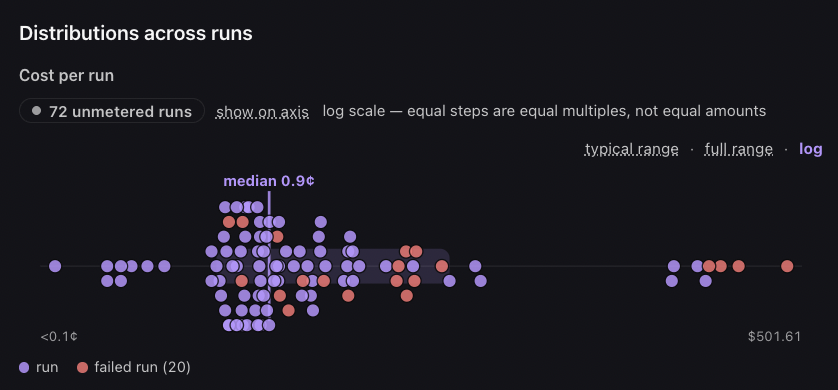
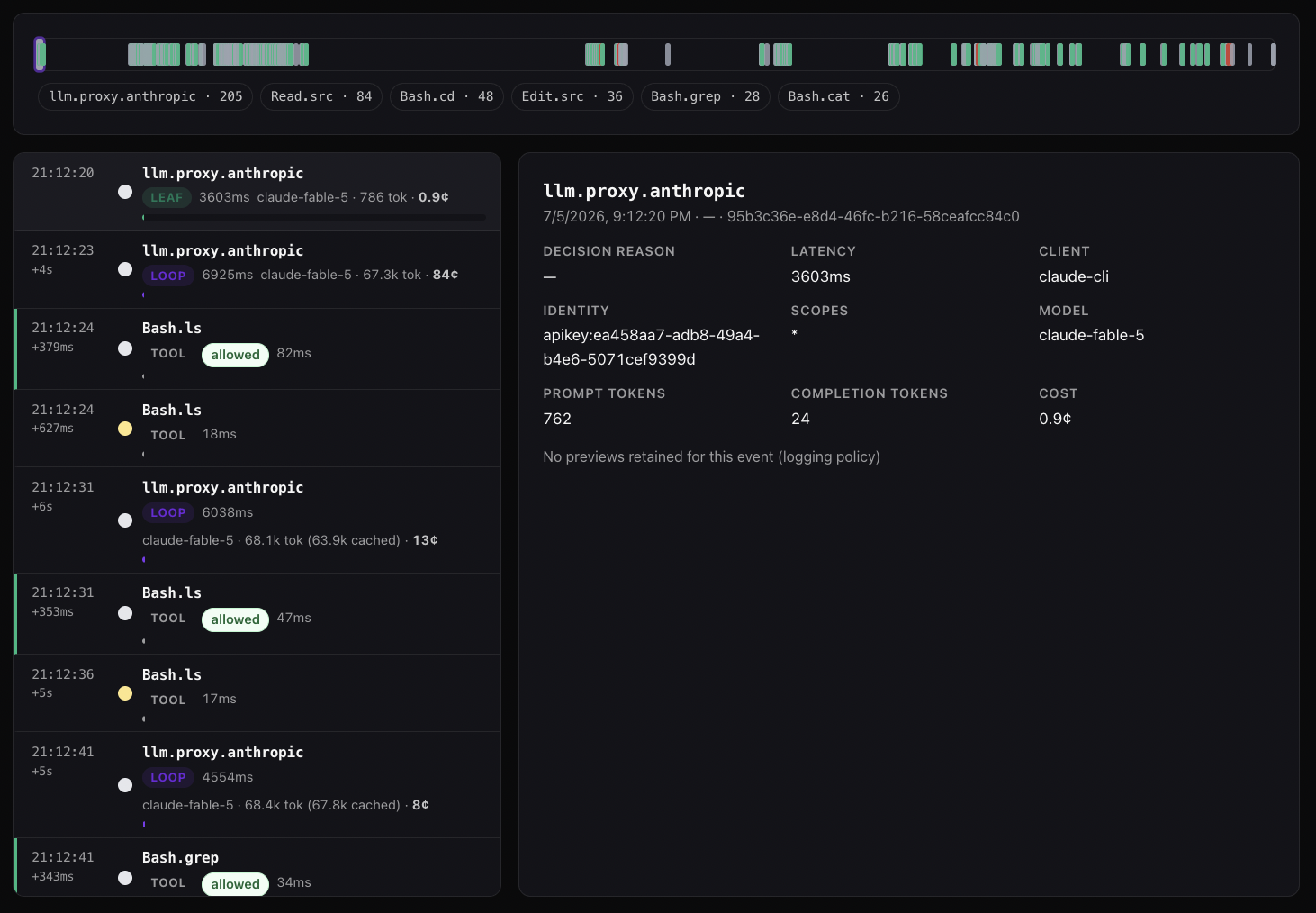
See your first governed call →Free up to 5 agents · full install below
The installer detects OpenClaw (command -v openclaw) and installs the ACP governance plugin, then opens your browser to provision a workspace. Restart OpenClaw and every tool call is governed. Prefer to do it by hand? It’s one plugin:
openclaw plugins install @agenticcontrolplane/openclaw
How it works
OpenClaw ships a first-class plugin system. ACP’s plugin (@agenticcontrolplane/openclaw) registers into it and routes every tool call through the Agentic Control Plane before and after execution:
- Before the call — the plugin sends the tool name and input to ACP’s policy engine (
/govern/tool-use). The server evaluates the full pipeline — immutable rules, delegation chain, scopes, ABAC, rate limits, plan limits, content scanning — and returnsallow/deny/ask. Adenyblocks the call before it runs; the agent sees the reason and adapts. - After the call — the plugin forwards the result for audit and content scanning (PII, secrets, prompt-injection findings). The call, its decision, its identity, and its cost land in your ACP activity log.
Same backend, same dashboard, same three-axis policy model as every other client — the plugin is just how it wires into OpenClaw’s runtime instead of Claude Code’s shell hooks or Codex’s config.
What gets installed and where
| Path | Purpose |
|---|---|
| OpenClaw plugin directory | @agenticcontrolplane/openclaw — the ACP plugin |
~/.acp/credentials |
Bearer token from browser OAuth (chmod 600) |
No system-level writes. The plugin authenticates with the ACP key in ~/.acp/credentials, so credential rotation is a one-step overwrite — no plugin reinstall. Uninstall is openclaw plugins remove @agenticcontrolplane/openclaw.
Add the cost X-ray
The plugin governs and audits tool calls. To also meter model spend — per-call token cost, prompt-cache hit rate, and the loop-vs-leaf cost X-ray — route OpenClaw’s model calls through the ACP proxy: point its model endpoint at https://api.agenticcontrolplane.com/v1 (OpenAI-compatible) and authenticate with your ACP key (gsk_...). Same responses, now metered — and the proxy governs the tool-use blocks the model emits as a second layer.
Full walkthrough: Turn on Cost X-Ray.
Setting up policy
The same three-axis model applies (Tool / Agent / User policies). Start in audit mode for a few days to learn what your OpenClaw agents actually do, then switch to enforce mode once the patterns are clear. Most-restrictive-wins on conflict.
Related integrations
- Claude Code — shell-hook governance, same backend contract
- OpenAI Codex CLI — hooks + MCP connector
- Cursor — Composer-hook governance, no Enterprise plan needed
- Hermes Agent — native Python plugin, same idea for a different runtime