Create your first AI agent in 5 minutes
This is the no-code path — create and run agents entirely in the browser. Governing an existing coding agent or framework instead? Start at Getting started with ACP, the canonical start page.
Sign up, connect your tools, and create an agent that monitors, reports, or answers questions across your apps.
1. Sign up and see your dashboard
Go to cloud.agenticcontrolplane.com and sign in with Google or email. You’ll land on your home dashboard — a quick-launch pad with suggested prompts, your agents, and recent conversations.
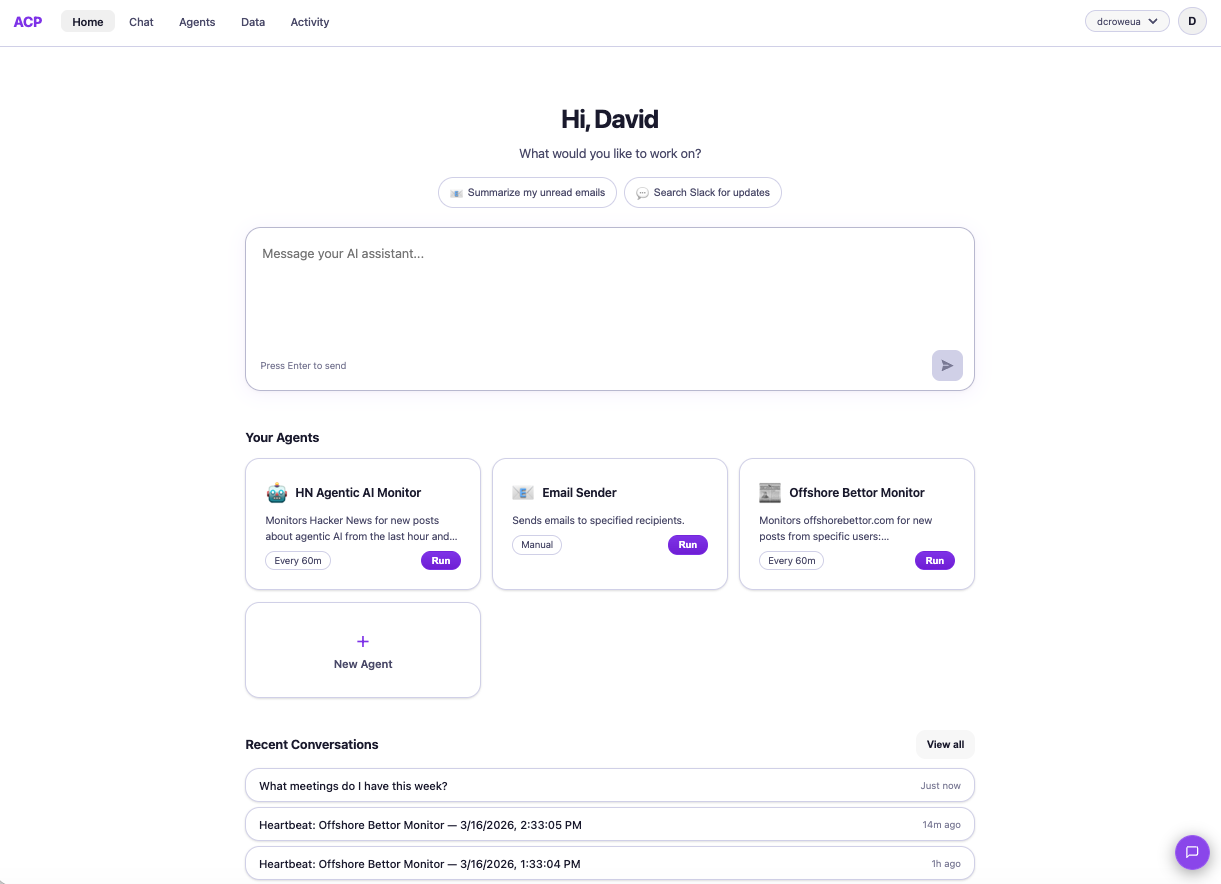
What can I do from the dashboard?
2. Connect your data and tools
Click Data in the top nav. This is where you give your agents the context they need — files, websites, and cloud services.
- Upload files — drag in CSV, Excel, PDF, TXT, or JSON files (up to 10MB each)
- Add web sources — paste any public URL and we’ll extract the content for your agents
- Connect services — link GitHub, Jira, Linear, Salesforce, and more with one click via OAuth
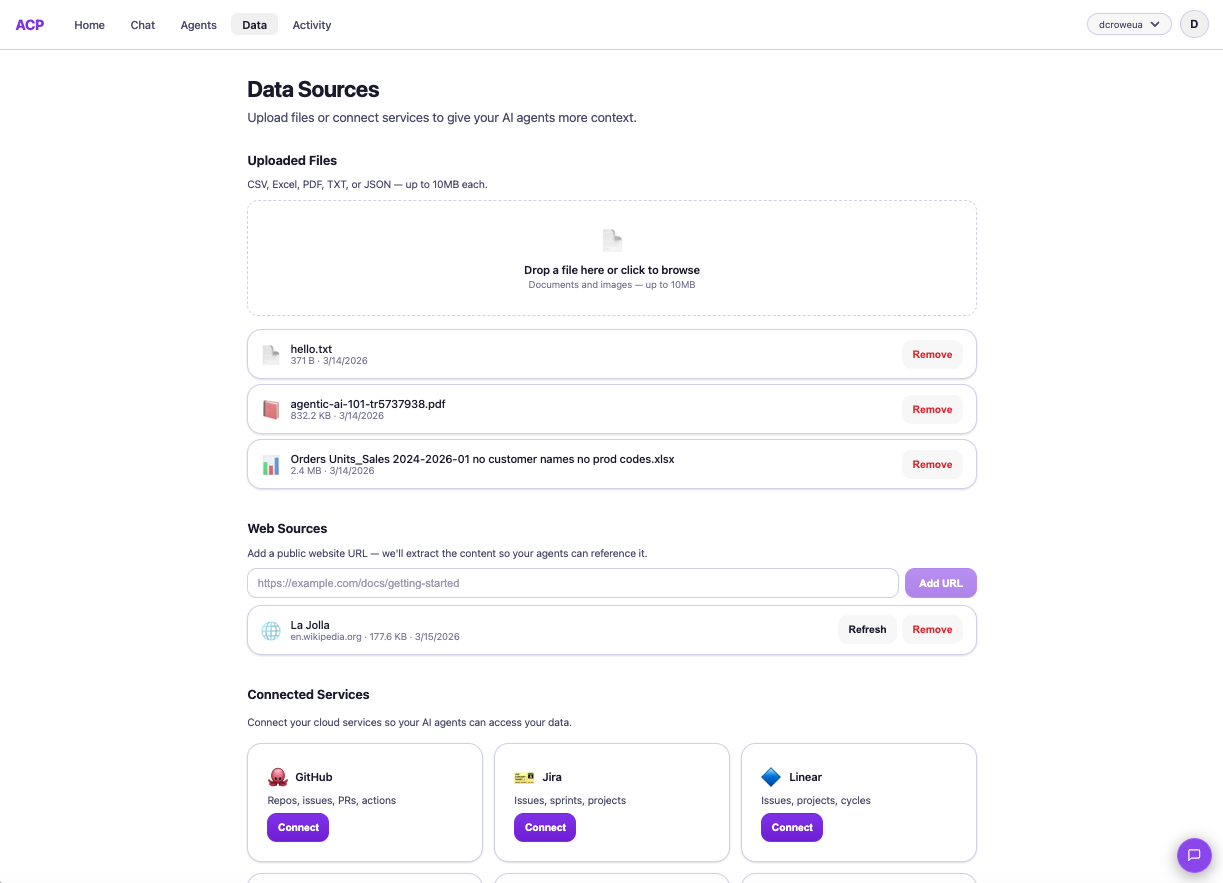
How does connecting a service work?
3. Create an agent
Click Agents in the top nav, then + Create Agent. Give it a name, describe what it should do, pick a model, and choose a schedule.
For example: “Monitor Hacker News for posts about agentic AI and email me a summary every hour.” Your agent runs automatically on the schedule you set — or you can trigger it manually with Run.
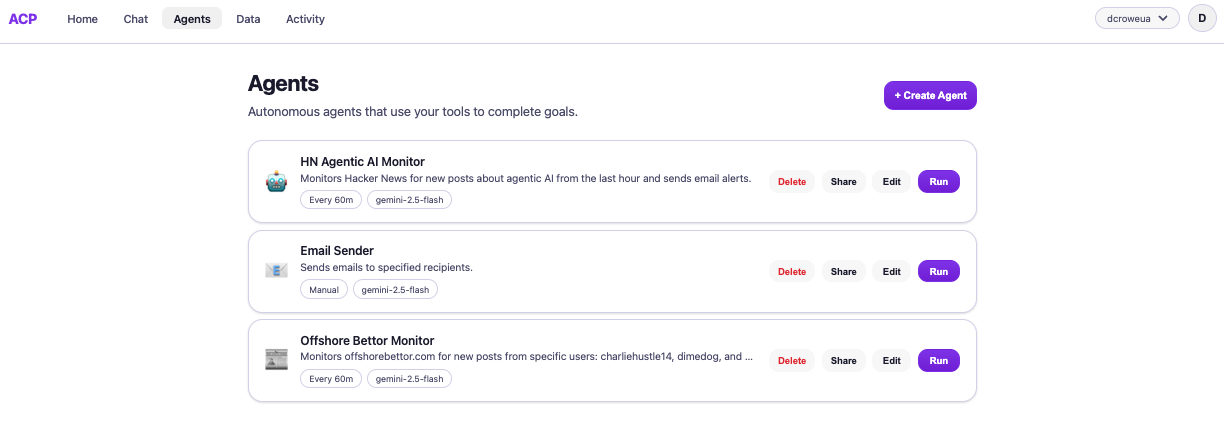
What kinds of agents can I create?
- Monitor a website for changes and send email alerts
- Summarize your unread emails every morning
- Pull open Jira issues and post a daily standup summary to Slack
- Search your uploaded sales data and generate a weekly report
4. Chat with everything you’ve connected
Click Chat to talk to your data. Your AI assistant has access to all your connected tools — ask questions across files, services, and agents in one conversation.
Every tool call shows what was accessed, is scoped to your identity, and is logged automatically.
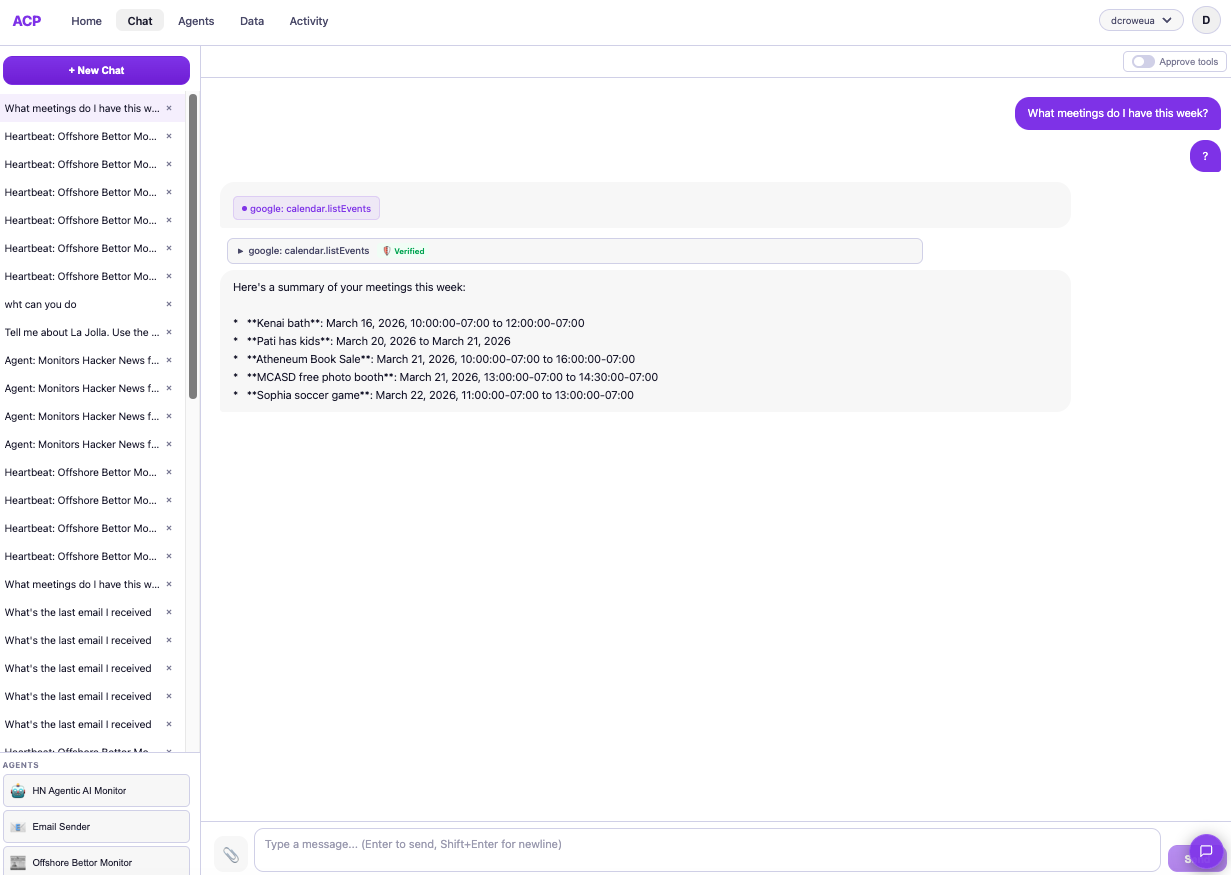
Can I see what the AI accessed?
5. Trigger agents from external systems
Your agents aren’t limited to the dashboard. Every agent gets an HTTP trigger endpoint that any external system can call — n8n, Zapier, Make, a cron job, or a plain curl command:
export ACP_KEY="your-api-key-here"

curl -X POST https://api.agenticcontrolplane.com/<workspace>/agents/<profileId>/run \
  -H "Content-Type: application/json" \
  -H "Authorization: Bearer $ACP_KEY" \
  -d '{"input": "Summarize open support tickets tagged urgent"}'
Create an API key from Settings > API Keys, then wire the endpoint into your automation. Every trigger goes through the same identity verification, policy enforcement, and audit logging as an interactive session.
Can I pass dynamic data to the agent?
context object to your request with any key-value pairs — customer ID, ticket number, region, priority. These are injected into the agent's system prompt so the same agent profile can handle different scenarios. See the full API reference for details.